NodeLogic Home.
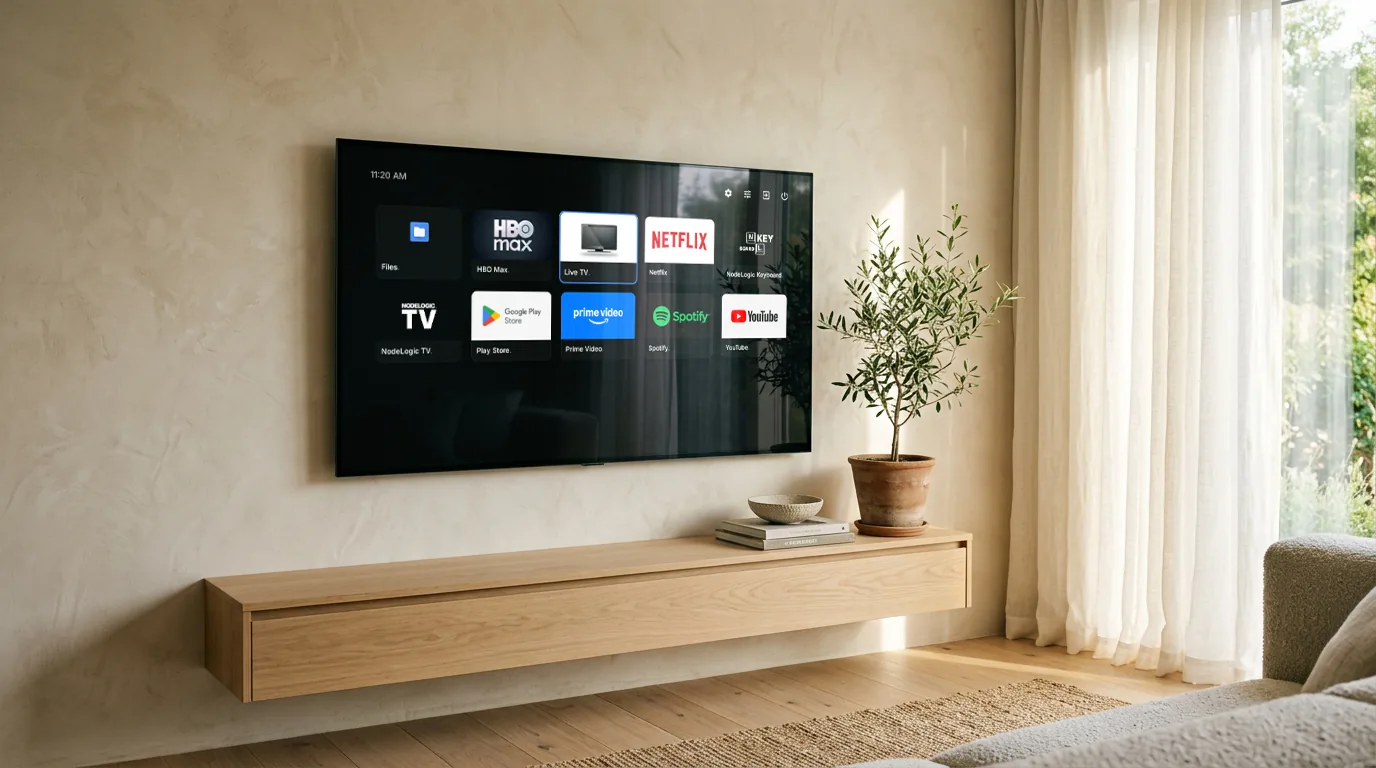
The television home screen with your apps and nothing else. No recommendation rows, no advertising, no content suggestions nobody asked for.
The television was stuttering.
The cause was not the processor. At idle, that television had 888 of its 929 MB in use and 300 MB already pushed into compressed memory, while the processor sat 371% idle out of 400%. Opening a video player meant asking it to swap memory pages constantly.
Stripping what came from the factory freed about 157 MB, and Google’s home screen was the largest app still standing. We wrote one from scratch rather than installing any of the alternatives: they had been unmaintained since 2023, published the installer without the source, or asked for network access to draw a grid of icons.
What it takes up.
Measured with dumpsys meminfo, both in the foreground on the same television. It was not a controlled comparison: the moments and the list of installed apps were not identical, and another reading gave ours 33.0 MB. The difference is large and the direction is firm, but the exact ratio is not a benchmark.
A grid, and nothing else.
Your apps
Every one installed, including the phone apps the stock home screen hides. That is why a file manager was installed twice before anyone noticed the first one.
Hide without uninstalling
A hidden app leaves the grid but still opens from the hidden list. Hiding is a decision about the grid, not about access.
Two themes
One neutral, with raised surfaces and focus marked in white. One carrying the house identity: flat surfaces, a 1px hairline between them and focus in blue.
A shortcut to settings
This television's settings appear in no app list at all, so they get a button of their own. Without it, a home screen would leave the television with no way into its own settings.
Inputs and clock
The input selector (HDMI and company) and the time, on the same bar.
Go back whenever you want
The way back to the stock home screen lives inside the app itself. Installing this is not an irreversible decision.
What you need to know.
The stock home screen has to be disabled
Android does not let an ordinary app take priority over the home button: asking for higher priority is ignored, deliberately. For this one to open, the stock one has to be disabled by command, and that is undone with another command. It is a real requirement, not a formality.
The power button does not turn the television off
Shutting down requires a system permission no ordinary app has. The button tells you so instead of pretending it tried.
Android 5.0 or newer
It does not require Android TV and carries no native libraries, so it installs on any processor. It was designed for the remote and tested on a single television: we make no promises about phones.
First version
Version 1.0 is the home screen of a television used every day, and it has survived reboots. It has been tested on a single device. We call it neither stable nor experimental: it is what it is.
Download.
The installer will be published on GitHub, with the source in the open. Until it is there, talk to us and we will explain how to get it.
Talk to us